
TayqaSale: a sales platform for field teams
Reps work in the mobile app, the office in a web portal. Data syncs in real time and the app works offline.
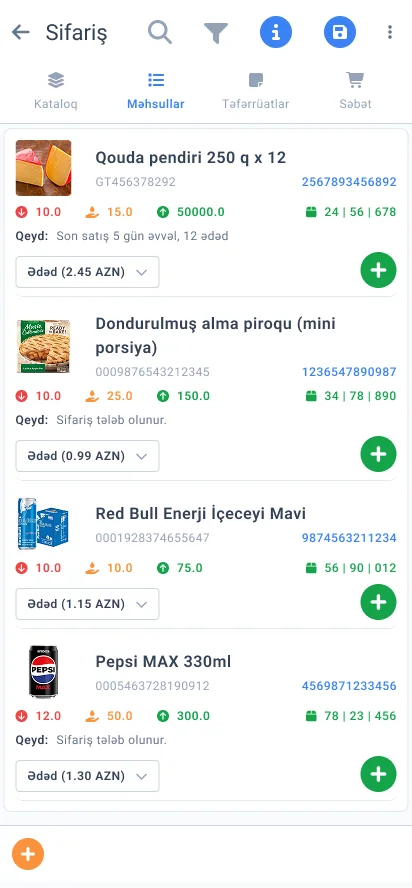
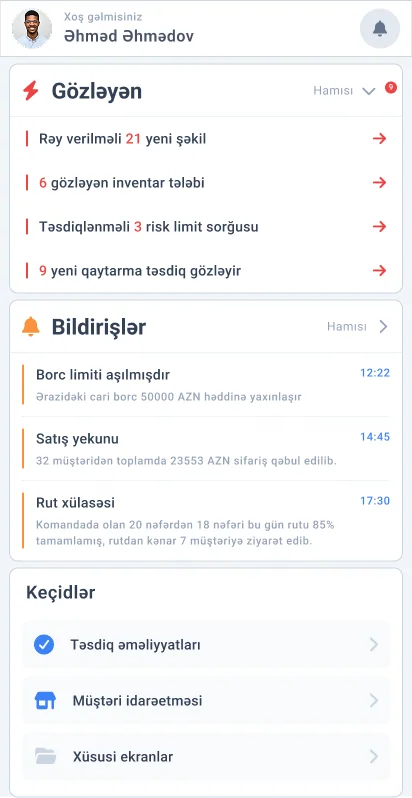
Every field role works in the same app.
The portal does two jobs
Management and control: visit, task, survey and inventory reports. Technical administration: modules, rules, routes, permissions and users, managed in one place.
Six modules on one platform
Start with the modules you need and add the rest later.
Sales automation
Orders, hot sales, returns, cash collection, warehouse transfers and stock requests, with pricing rules and sales controls.
Field management
Route planning, visits, geofencing, merchandising, debt audits and photo tasks managed in one place.
Survey & checklist
Shelf share, planogram, promo checks, competitor analysis; score-based employee and customer KPIs.
Field assets
Fridges, coolers and displays tracked from request to return, with condition audits and missing-asset investigations.
Work management
Office projects, Kanban board, task assignment, comments and cross-department requests in one place.
Dynamic tools
A low-code, SQL-based layer. Reports, screens, workflows and integrations get built without waiting for a new release.
Orders on the device, with pricing and checks built in
- Full product catalogA live catalog with descriptions, units of measure and barcodes.
- Order templates and recommendationsA ready basket based on sales history and suggested quantities per SKU.
- Returns managementReason codes, return types and multi-step supervisor approval.
- Same features on mobile and webField reps work on their phones, telesales teams on the web portal.
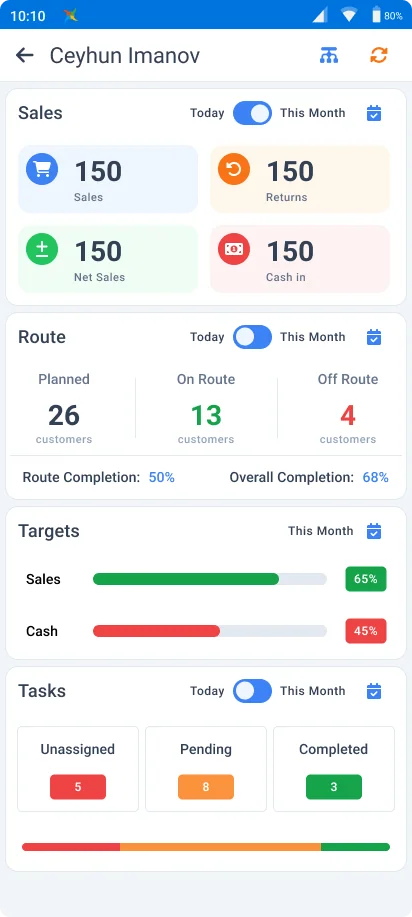
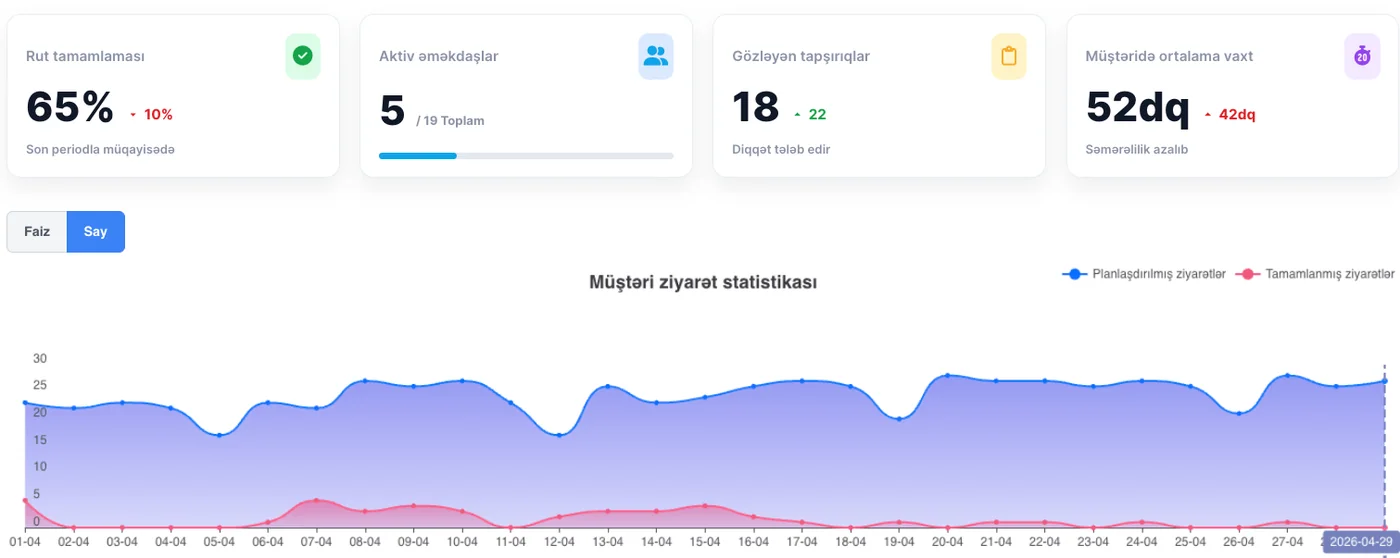
See routes, visits and photos every day
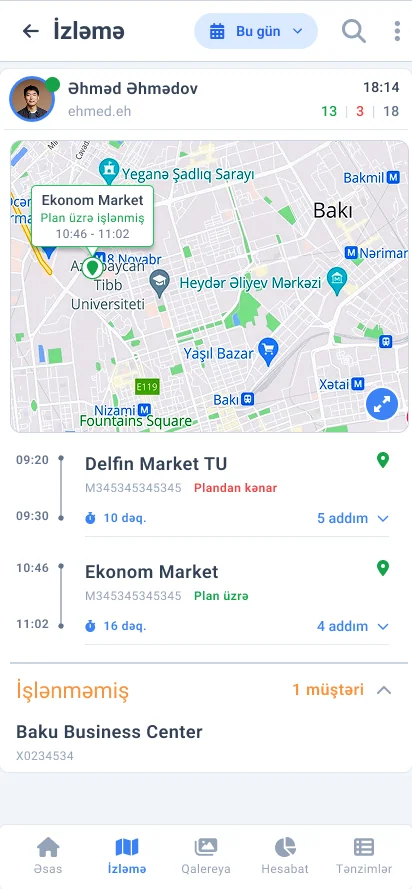
- Route statisticsHow each employee executes the plan: times, time spent, completion rate.
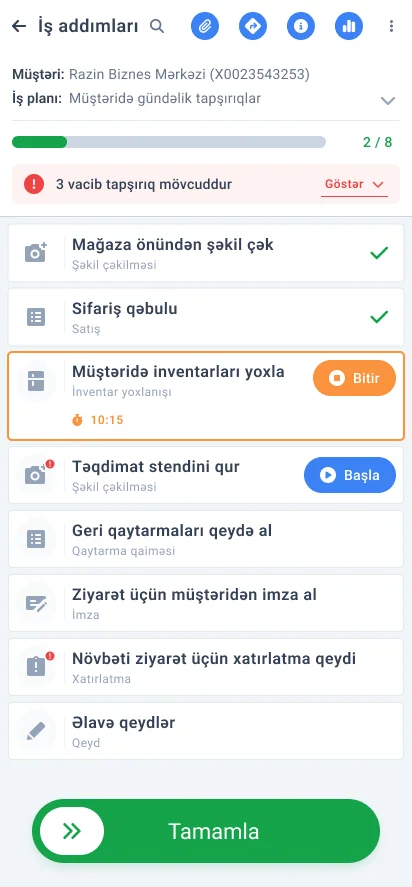
- In-visit operationsOrders, returns, collections, photos, surveys, e-signatures, debt checks.
- Photo gallery and storiesSearch by customer, employee, date and location; reactions and comments.
Transactions only happen where they should
- Auto-loggingPer user: every minute, every operation, or both.
- Location restrictionsOrders, returns and cash operations only at the customer's location; flexibility for exempt customers.
- Trajectory trackingDaily route replay and planned vs. actual comparison.
Capabilities that complement the modules
Route management
1–4 week cycles, route suggestions, coverage analysis.
Sales and cash plans
Monthly targets by user and product group, automatic plan vs. actual.
Debt check
On-site reconciliation of receivables with the customer.
Notifications and knowledge files
Targeted announcements, plus contracts and price lists on hand in the field.
Frequently asked questions
Does TayqaSale work without internet?
Yes. TayqaSale works offline. The representative keeps working where there is no internet, and the data syncs when the connection is restored.
Can TayqaSale be used together with an existing ERP (SAP, Logo, 1C)?
Yes, TayqaSale can connect to your existing ERP system, so you do not need to replace it. We have worked with SAP (three separate integrations) and Logo Tiger on real projects. We have no ready-made 1C integration, but our general-purpose ERP integration layer (REST API) lets any ERP solution connect to it on its own.
What is the difference between the phone and the web portal?
Field representatives handle orders and visits in the mobile app on their phone, and the telesales team works with the same features in the web portal. The office tracks visit, task, survey and inventory reports in the portal, and manages modules, rules, routes and permissions.
What are GPS and photos used for?
The location restriction ensures that orders, returns and cash operations are carried out only at the customer's location. Photos serve as proof of a visit and for shelf checks, and GPS tracks the route and trajectory.
How long does implementation take?
Implementation has three stages: discovery and setup, rollout and training, and go-live. It usually takes 2–4 weeks.
How is pricing determined?
After a discussion and a preliminary assessment, we provide a commercial proposal.
How is the team trained?
The administrator and key users are trained first, then the field team, and there is also train-the-trainer training. After go-live, we provide two weeks of intensive support.
We run the live demo on your own workflows
TayqaSale works with DigiTayqa ERP and can also connect to your existing ERP.